





Triton ULTRA connects directly to Milestone XProtect, bringing sensor alarms and live occupancy views into the same interface as your cameras. Configured event actions can display a nearby camera beside the sensor view, giving operators context inside and around the room.
For a restroom or locker room, the occupancy view helps staff assess activity without placing a camera inside. The hallway camera shows the surrounding area, and alarm timestamps help operators find recordings when following up on a detection.
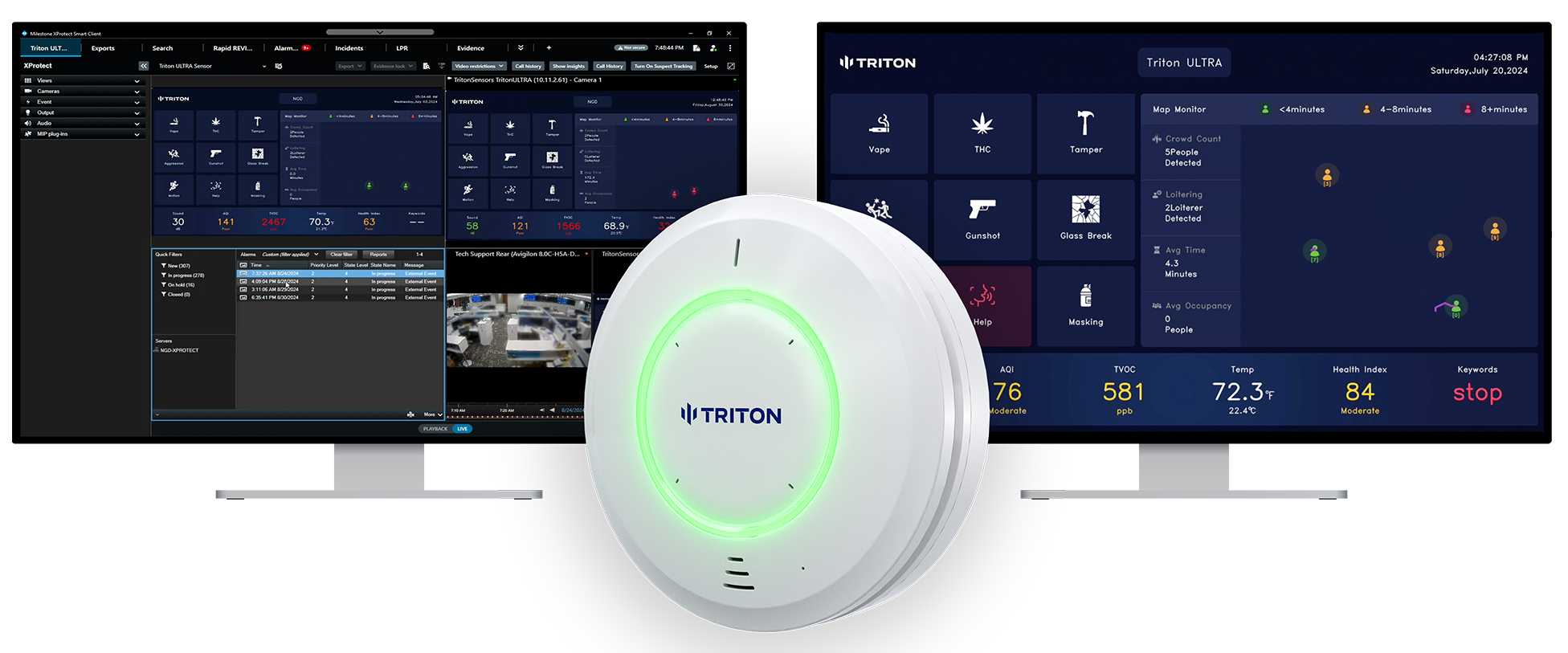
Triton ULTRA + Milestone XProtect
How it works: Add ULTRA to XProtect as an ONVIF device. The sensor sends TCP event messages that match Generic Events configured in Management Client, which trigger the alarm definitions and actions you set up.
Camera association: Configure a Smart Client Matrix view and event actions to display the associated camera feed beside the sensor stream. Select the camera that provides useful context for each sensor location.
Device licensing: Each Triton sensor added to XProtect requires a Milestone device license.
Monitor occupancy and review alarms
ULTRA’s live occupancy stream can be opened in Smart Client between alerts, alongside camera views. Staff can check room activity before entering and prioritize locations that need attention. After an incident, the alarm entry and timestamp provide a starting point for reviewing the associated recordings.
Before you start: Confirm device licensing, add the sensor, and configure the Generic Events, alarm definitions, and camera associations. Follow the linked guide for Matrix setup and test the intended views and actions. Recording and retention settings determine the footage available for later review.
Frequently Asked Questions
How are sensor events turned into XProtect alarms?
TCP messages from ULTRA match Generic Events configured in Management Client. Those events trigger the alarm definitions and actions you set up.
Does each sensor need a Milestone license?
A device license is required for each Triton sensor added to XProtect.
Can a camera view open automatically?
Configure the Smart Client Matrix view and event actions to display the associated camera beside the sensor stream.
Can we review an event after it has cleared?
Use its alarm entry and timestamp to find the associated recordings. Available video depends on recording and retention settings.
Is live occupancy limited to alarm-triggered views?
The RTSP occupancy stream can be opened in Smart Client between alerts, alongside your camera views.
Resources
Milestone XProtect – Triton ULTRA Integration Guide — full setup guide for TCP event forwarding, ONVIF device setup, and Smart Client Matrix configuration.
Contact us if you're running a mixed environment or aren't sure which path fits.
Compare Triton ULTRA integration options across video management, access control, intercoms, and staff alerts.

