





Triton ULTRA connects to Genetec Security Center and Security Center SaaS, bringing sensor alerts from private spaces into your security workflow. The connection method depends on the deployment: Security Center uses the Industrial IoT plugin, while the direct SaaS integration uses ONVIF Profile V events.
A detection inside a restroom can be reviewed with the nearby hallway camera, helping staff assess activity around the entrance. Sensor readings and live views add context for deciding where attention is needed and what responders may encounter.
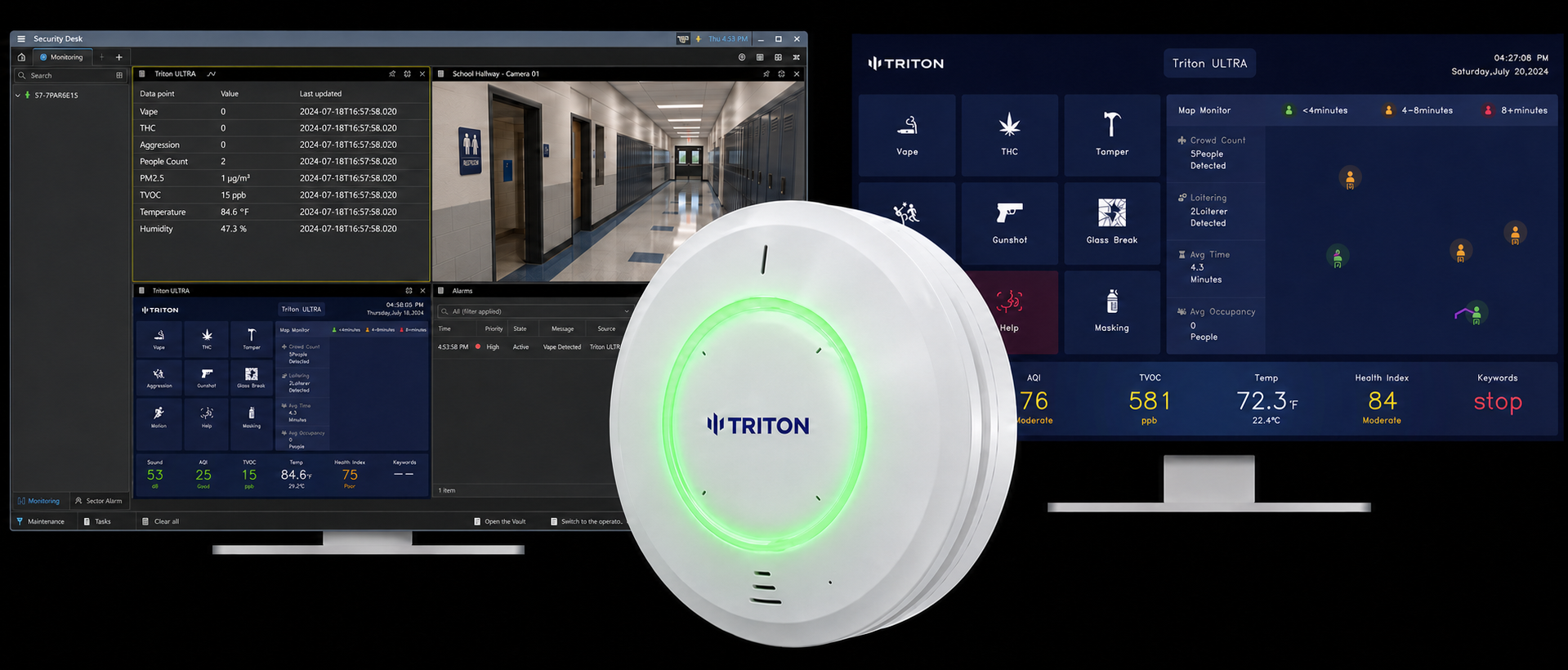
Security Center: direct connection from Triton ULTRA
How it works: ULTRA connects through the licensed Industrial IoT plugin using HTTP or TCP. Configured events can trigger alarms and linked-camera pop-ups.
Ongoing sensor data: The direct HTTP method also supports heartbeat data points for graphical reporting, providing ongoing readings as well as discrete event notifications.
Triton Cloud + Security Center
How it works: Triton Cloud sends events to the Industrial IoT plugin’s HTTP connector. Devices and rules configured in Genetec determine the custom events and alarms operators receive.
Connection requirements: This option requires the Industrial IoT plugin license and network access from Triton Cloud to the plugin server.
Direct connection to Security Center SaaS
How it works: ULTRA connects as a cloud-managed environmental sensor. Firmware 26.09.16.15 or later supports ONVIF Profile V events, and the guide also covers a live RTSP view.
Deployment requirements: The direct SaaS option does not require an on-premises server, the Industrial IoT plugin, or Triton Cloud.
Respond and review with the right context
In Security Center, linked-camera pop-ups help operators see activity near the sensor during configured alerts. For deployments using Evidence Room, associated footage and sensor context can also be reviewed in Triton Cloud; confirm that configuration separately from the event-forwarding setup.
Before you start: Select the guide for your Genetec deployment, confirm its licensing or firmware requirements, and test the expected events and views. For Evidence Room, confirm footage access and the required configuration with Triton.
Frequently Asked Questions
How do the Security Center and SaaS connections differ?
Security Center uses the licensed Industrial IoT plugin. The direct SaaS connection adds ULTRA as an environmental sensor using ONVIF Profile V for events.
Can sensor alerts bring up nearby cameras?
The Security Center guide documents Linked Cameras for video pop-ups during configured alerts.
Can Genetec receive ongoing sensor readings?
The direct HTTP integration supports heartbeat data points as well as event triggers.
What firmware supports SaaS events?
ONVIF Profile V event support was added in firmware 26.09.16.15. Use that version or later.
Does the event-forwarding setup also configure Evidence Room?
Treat these as separate setup requirements. The linked Cloud guide covers Industrial IoT events and alarms; contact Triton to confirm Evidence Room and footage access for your deployment.
Resources
Genetec Security Center – Triton ULTRA Integration Guide — full setup guide for the on-prem path.
Genetec Security Center SaaS – Triton ULTRA Integration Guide — full setup guide for the SaaS path.
Genetec Security Center – Triton Cloud Integration — setup guide for forwarding Triton Cloud events to the Industrial IoT plugin and configuring Genetec events and alarms.
Contact us if you're running a mixed environment or aren't sure which path fits.
Compare Triton ULTRA integration options across video management, access control, intercoms, and staff alerts.

