




Understanding K-12 Cell Phone Bans Across the U.S. and Canada
Smartphones have gone from novel distraction to headline‑level policy issue in K‑12 education. Over the last two years, state houses and provincial legislatures on both sides of the border have moved quickly from “let local districts decide” to codifying mandatory phone‑free learning.
[Learn more about Triton Cell Phone Detection Here]
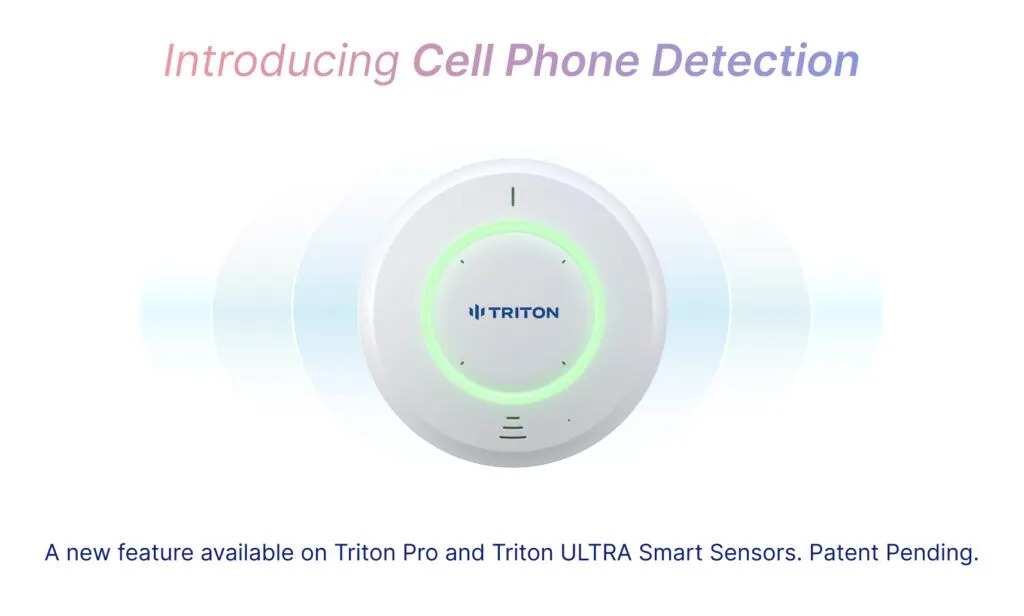
As schools experiment with cell phone bans, enforcement has quickly become a concern. Even when phone pouches and locker check-ins have become a requirement, many students have resorted to turning in “decoy phones.” Triton ULTRA IoT Sensor gives schools a practical way to enforce those rules without piling even more work on teachers.
[Learn more about Triton Cell Phone Detection Here]
As schools experiment with cell phone bans, enforcement has quickly become a concern. Even when phone pouches and locker check-ins have become a requirement, many students have resorted to turning in “decoy phones.” Triton ULTRA IoT Sensor gives schools a practical way to enforce those rules without piling even more work on teachers.
State/Province
Florida
Indiana
California
Arizona
Arkansas
Louisiana
Minnesota
New York
Ohio
Oklahoma
South Carolina
Virginia
Oklahoma
Ontario
British Columbia
Alberta
Quebec
Scope of Ban
CS/HB 379 – phones off & placed in a teacher‑designated collection area during instructional time
SEA 185 – districts must ban use during class; storage method set locally
AB 3216 “Phone‑Free School Act” – every district must adopt a limit/ban by July 1 2026
HB 2484 – restricts phone, social‑media, and hotspot use during class (emergency carve‑outs)
Act 122 “Bell‑to‑Bell, No Cell” – bans use for the entire school day
Act 313 – devices off & stored from first bell to last; districts handle discipline
Ch. 121A revision – districts must file a phone‑free policy with the state by March 15 2025
FY 2025 Budget – mandates a bell‑to‑bell ban on internet‑enabled devices; $13.5 M implementation fund
HB 250 – requires every district to adopt a limit policy by July 1 2025
SB 139 – one‑year mandatory “bell‑to‑bell” ban statewide (review after 2025‑26)
Budget Proviso 1.103 – districts must implement the State Board’s model ban by Jan 2025
EO 33 / HB 1961 – phones off & stored away bell‑to‑bell starting Jan 1 2025
SB 139 imposes a mandatory one‑year, bell‑to‑bell ban in 2025‑26; districts may opt out only after year one.
Phones silent and out of sight K‑6 all day; Grades 7‑12 banned during class. Social media blocked on school networks.
Every district must enforce a personal‑device code of conduct in classrooms.
Provincial order bars phones, smartwatches, earbuds in class; boards must finalize local rules by Jan 1 2025.
Classroom ban since Jan 2024; full‑day, campus‑wide ban takes effect in fall 2025.
Key Date
2023‑24
2024‑25
2026‑27
2025‑26
2025‑26
2024‑25
2025‑26
2025‑26
2025‑26
2025‑26
Mid‑2024‑25
2024‑25
2025‑26
Sept 1 2024
Sept 2024
Fall 2024 rollout
Fall 2025
Turn In Required?
Yes
Local Option
Local Option
No
No
No
Local Option
Local Option
Local Option
No
Local Option
No
No
No
No
No
Yes
Why Pouches, Lockers, and Honor Codes Aren’t Enough
Students are already finding loopholes:
• Twin‑phone trick – many students bring in a secondary decoy phone.
• Silent hotspots – phones in airplane mode still broadcast Wi‑Fi/Bluetooth beacons schools don’t block.
• Magnet hacks – $2 key magnets pop open pouch locks in seconds.
Traditional approaches depend on constant staff vigilance. Triton ULTRA removes that burden.
• Twin‑phone trick – many students bring in a secondary decoy phone.
• Silent hotspots – phones in airplane mode still broadcast Wi‑Fi/Bluetooth beacons schools don’t block.
• Magnet hacks – $2 key magnets pop open pouch locks in seconds.
Traditional approaches depend on constant staff vigilance. Triton ULTRA removes that burden.
How Triton ULTRA Detects Cell Phones
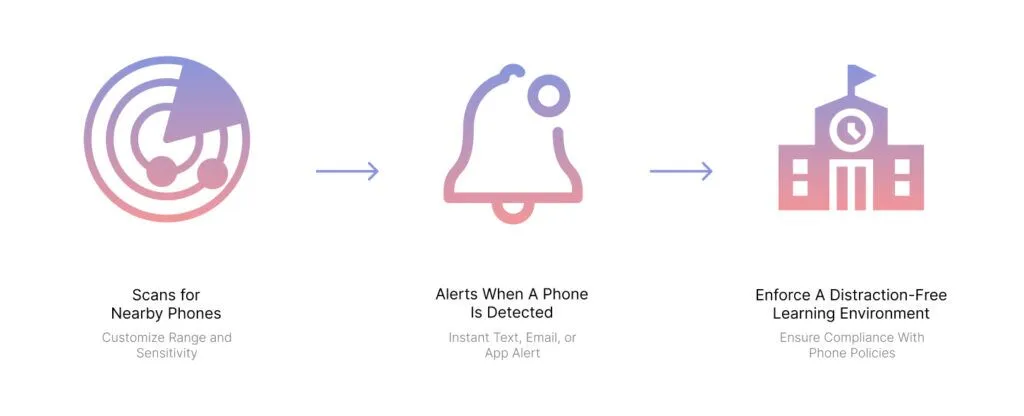
Triton ULTRA relies on a blend of AI‑driven signal recognition and proprietary smart filtering to quietly flag unauthorized devices – without peeking at user data or recording content.
1. Signal Recognition Engine – The sensor notices the faint “heartbeat” a phone sends when it tries to stay connected, even if the screen is off.
2. Smart Filtering – On‑board algorithm sifts through background chatter so staff only see meaningful alerts.
3. Distance Threshold – school officials can set a range for how far from the sensor they want phones to be detected.
4. Context‑Aware Alerts – If a prohibited signal lingers where it shouldn’t, Triton ULTRA dispatches a discreet notification, SMS, or VMS alert for the detected phone.
5. Insightful Analytics – Triton Cloud converts daily detections into heat maps and trend lines that administrators can share with school boards or state auditors.
6. Drop‑In Installation – The ceiling‑mounted unit slots into the same tile cut‑out as other Triton sensors and installs over PoE.
1. Signal Recognition Engine – The sensor notices the faint “heartbeat” a phone sends when it tries to stay connected, even if the screen is off.
2. Smart Filtering – On‑board algorithm sifts through background chatter so staff only see meaningful alerts.
3. Distance Threshold – school officials can set a range for how far from the sensor they want phones to be detected.
4. Context‑Aware Alerts – If a prohibited signal lingers where it shouldn’t, Triton ULTRA dispatches a discreet notification, SMS, or VMS alert for the detected phone.
5. Insightful Analytics – Triton Cloud converts daily detections into heat maps and trend lines that administrators can share with school boards or state auditors.
6. Drop‑In Installation – The ceiling‑mounted unit slots into the same tile cut‑out as other Triton sensors and installs over PoE.
Case Study

Next Steps for 2025‑26 Compliance
1. Map Your Deadlines – Florida is already active; Oklahoma, Arkansas, and New York all hit this fall.
2. Audit Blind Spots –Bathrooms and locker rooms are our recommended installation environments, but Triton can also be installed in classrooms and other environments.
3. Layer Enforcement – Keep pouches or lockers as a front line but deploy Triton ULTRA for invisible coverage.
4. Document Everything – Export ULTRA compliance reports for board packets and state inspectors.
Ready for a Demo? Schedule 15 minutes with our solutions team to see how Triton ULTRA pairs policy with technology to create truly phone‑free learning environments.
2. Audit Blind Spots –Bathrooms and locker rooms are our recommended installation environments, but Triton can also be installed in classrooms and other environments.
3. Layer Enforcement – Keep pouches or lockers as a front line but deploy Triton ULTRA for invisible coverage.
4. Document Everything – Export ULTRA compliance reports for board packets and state inspectors.
Ready for a Demo? Schedule 15 minutes with our solutions team to see how Triton ULTRA pairs policy with technology to create truly phone‑free learning environments.

